ChevroSys Scan Pro1.4
Publisher Description
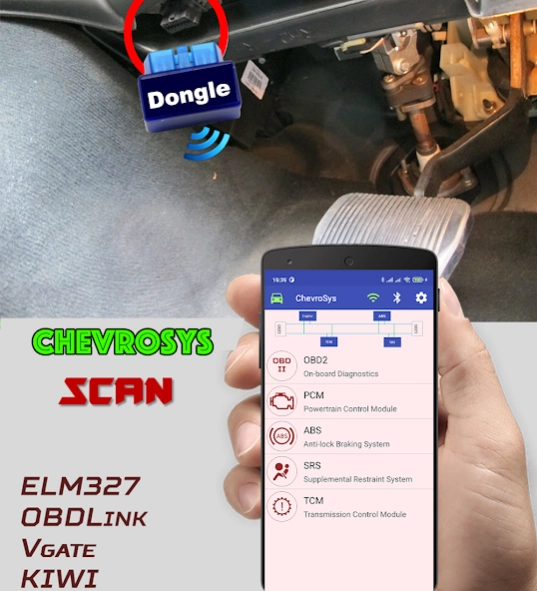
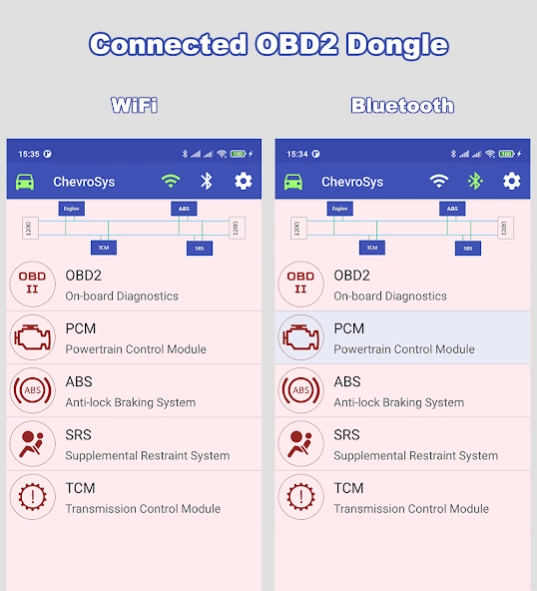
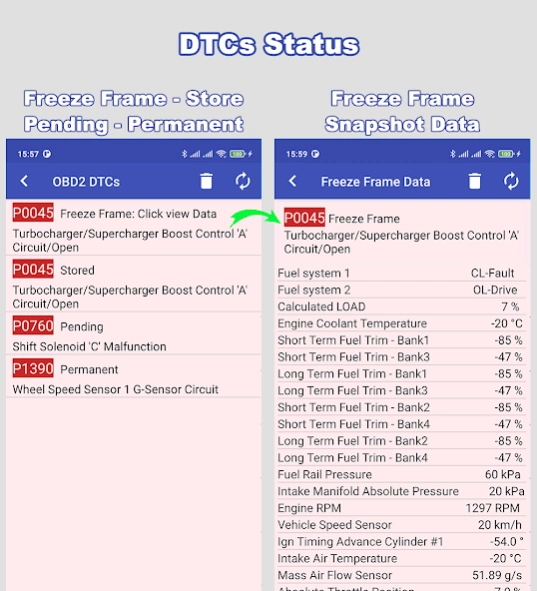
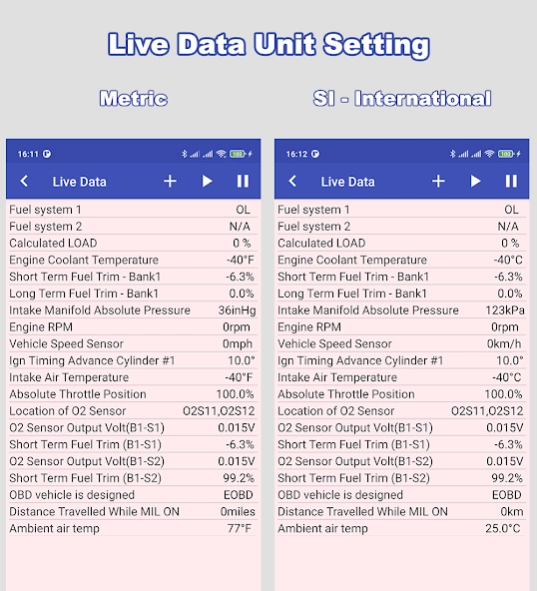
Read & Clear DTCs: Chevrolet & GM Brands Vehicle (Engine, ABS, SRS, TCM)
ChevroSys Scan Pro is an ad-free OBD2 diagnostic app for Chevrolet and GM-family vehicles. Find out why the Check Engine Light is on, read and clear trouble codes, and go beyond generic OBD2 by scanning the Engine, ABS, SRS (airbag) and Transmission (TCM) modules. It works with a Bluetooth or Wi-Fi ELM327-type OBD2 adapter (sold separately).
★ PRO FEATURES
• No ads, ever
• Built-in DTC database with over 13,000 trouble codes, including Chevrolet/GM-specific codes (the Free version has fewer than 8,000)
• Clean, professional interface designed for daily workshop use
★ OBD2 (ALL OBD2-COMPLIANT VEHICLES)
• Read and clear Stored, Pending and Permanent DTCs
• Freeze Frame data for the code that triggered the Check Engine Light
• Live Data with all PIDs supported by your vehicle, in US or metric (SI) units
• I/M Readiness (smog test) status and MIL state
• Mode $06 on-board monitor test results
• Mode $05 oxygen sensor test results
• Vehicle information: VIN, Calibration ID, CVN and IPT
★ MODULE SCANS FOR CHEVROLET & GM
• Engine (PCM/ECM): read and clear DTCs
• Transmission (TCM): read and clear DTCs
• ABS: read and clear DTCs
• SRS / airbag: read and clear DTCs
The app detects the vehicle's protocol automatically and shows each module's codes with a plain-English description.
★ SUPPORTED PROTOCOLS
GMLAN CAN, CAN (ISO 15765-4), VPW (SAE J1850), ISO 9141-2, KWP2000 (ISO 14230-4).
Module coverage depends on the vehicle model, year and the adapter used.
★ COMPATIBLE ADAPTERS
Tested with OBDLink MX, Vgate Bluetooth, ELM327 v1.5 Bluetooth and ELM327 Wi-Fi adapters. Other genuine ELM327-compatible adapters (OBDLink, Kiwi, Vgate, BAFX) should also work.
Note: many low-cost clones that report "ELM327 v2.1" are incomplete and may only support basic OBD2 functions. For reliable manufacturer-module scans, use a quality adapter.
★ HOW TO USE
1. Plug the adapter into the OBD2 port (usually under the dashboard).
2. Turn the ignition on and pair via Bluetooth or join the adapter's Wi-Fi.
3. Open the app, connect, and choose OBD2, Engine, ABS, SRS or TCM.
Always follow the repair procedure for your vehicle. Clearing codes does not repair the fault; resolve the cause first.
About ChevroSys Scan Pro
The company that develops ChevroSys Scan Pro is OBD High Tech. The latest version released by its developer is 1.4. This app was rated by 1 users of our site and has an average rating of 5.0.
To install ChevroSys Scan Pro on your Android device, just click the green Continue To App button above to start the installation process. The app is listed on our website since 2026-10-03 and was downloaded 944 times. We have already checked if the download link is safe, however for your own protection we recommend that you scan the downloaded app with your antivirus. Your antivirus may detect the ChevroSys Scan Pro as malware as malware if the download link to com.obdhightech.obd2.chevroletsystem.readdtc.chevroletsysscanpro is broken.
How to install ChevroSys Scan Pro on your Android device:
- Click on the Continue To App button on our website. This will redirect you to Google Play.
- Once the ChevroSys Scan Pro is shown in the Google Play listing of your Android device, you can start its download and installation. Tap on the Install button located below the search bar and to the right of the app icon.
- A pop-up window with the permissions required by ChevroSys Scan Pro will be shown. Click on Accept to continue the process.
- ChevroSys Scan Pro will be downloaded onto your device, displaying a progress. Once the download completes, the installation will start and you'll get a notification after the installation is finished.
Program Details
System requirements
Download information
Pricing
Version History
version 1.4
posted on 2026-10-03
What's new in 1.4:
• Support for Android 16 and the latest Android security updates
• Auto-connects to your last ELM327 adapter at startup
• Fixed Bluetooth connection on Android 12+
• Reads DTCs from all modules on CAN, KWP2000 GMCAN VPW
• More accurate Freeze Frame, Live Data and Mode 06 values
• SI/English units now apply to Live Data and Freeze Frame
• Fixed reading stuck after Back on Android 13
• Rotation, tablet and foldable support
• Faster and more stable
version 1.3
posted on 2021-09-22
+ Improve Wifi dongle connect
+ Fix send command via Bluetooth
+ Fix On-Board Diagnostic Monitor IDs test (Mode $06)
+ Fix Oxygen Sensors Test (Mode $05)
+ Improve Stored Trouble Codes detected protocol (Mode $03)
+ Update User interface
version 1.2
posted on 2019-04-28
Fixed crash app (Android 8.0)
